
Kindle Scribe (2025) Review: Amazon's Best E-Reader and Note-Taker Gets a Major Overhaul
A
admin
April 20, 2026 · 12 min read
Overall Score
8.4
out of 10Display Quality9/10
Writing Experience8.5/10
Reading Experience9.2/10
Build Quality9/10
Value7.5/10
Product Details
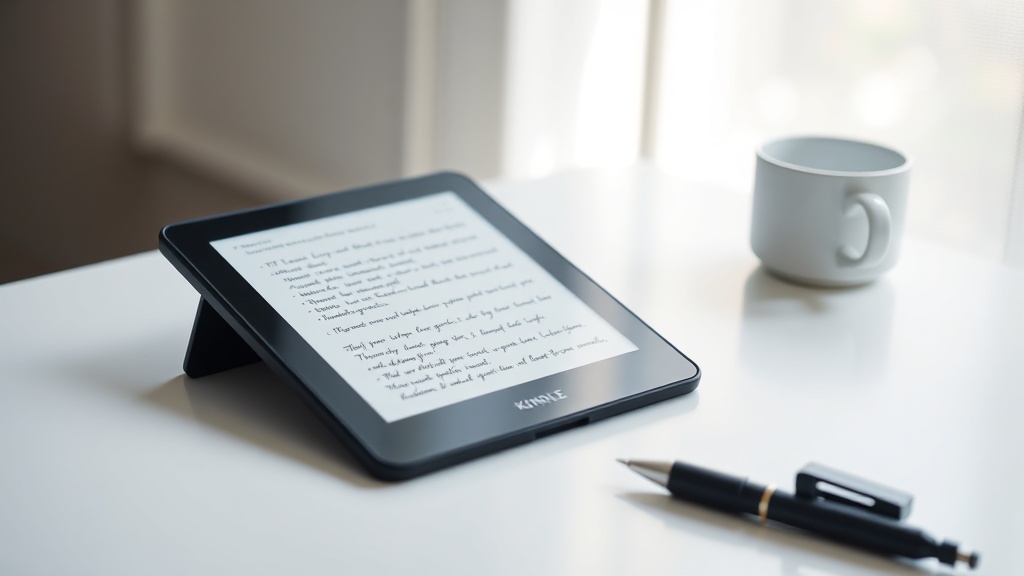
Kindle Scribe (2025, 3rd Generation)
$499
Buy on Amazon
Affiliate link — we may earn a commission
Pros
- 11-inch 300 PPI e-ink display is the best reading surface Amazon has made
- 5.4mm thin body — thinner than iPad Air — is genuinely impressive engineering
- Quad-core processor makes page turns and writing response 40% faster than previous gen
- Symmetrical bezels finally fix the awkward grip design of older Scribe models
- Battery lasts weeks of mixed reading and note-taking use
- Premium Build with flush glass front feels like a quality device
Cons
- $499 starting price puts it in iPad territory where flexibility is far greater
- AI features (Story So Far, Ask This Book) still rolling out via OTA in 2026
- No color display — the Scribe Colorsoft is a separate, pricier product
- Stylus annotation on books remains less intuitive than handwriting-first competitors
- No backlit keyboard option for extended note sessions
The Paperless Dream, Closer Than Ever
For years, knowledge workers and readers have wanted a single device: one that reads like paper, writes like paper, and weighs almost nothing. The Kindle Scribe has been Amazon's attempt to answer that need since 2022, and with the third-generation model released in late 2025, it has come closer to that ideal than any previous version.
We spent six weeks with the Kindle Scribe (2025) — testing it as a primary e-reader, a meeting notebook, a PDF annotation tool, and a long-form writing surface. The result is our most complete assessment of Amazon's flagship writing tablet to date.
What's New: A Complete Redesign
The third-generation Scribe is not an incremental update. Amazon rebuilt the physical design from the ground up, and the differences are immediately apparent when you hold it.
The most striking change is the thickness: at 5.4mm, this is the thinnest Kindle Scribe ever made — and thinner than the current iPad Air. The previous generation was 5.8mm, and while 0.4mm may sound trivial, combined with the weight reduction to 400g, the new model feels categorically different to carry and hold. Long reading sessions that previously fatigued the wrist are now genuinely comfortable.
The display has grown from 10.2 inches to 11 inches, and the bezel design has been completely overhauled. Earlier Scribe models had an asymmetrical design with a thick grip bezel on one side — pragmatically useful but visually awkward. The 2025 model adopts even, symmetrical bezels, presenting the device as a clean rectangular display with consistent borders. It is more elegant and loses no functional grip capability.
Under the hood, the quad-core processor replaces the previous dual-core, delivering the promised 40% improvement in page turn speed and writing response. This matters more than it sounds: the imperceptible lag between pen stroke and ink appearance was the most common complaint about previous Scribe models. With the new processor, handwriting response is fast enough to feel natural.
Buy Kindle Scribe 2025 on Amazon
Display: The Best Reading Surface Amazon Has Made
The 11-inch e-ink panel with 300 PPI resolution and front light is exceptional for reading. At this pixel density, text in both e-books and PDFs is sharp and crisp — comparable to printed text for most document types. The glare-free surface is exactly that: in direct sunlight, in outdoor cafes, and under harsh office overhead lighting, the display remains legible without adjustment.
The front light system offers full warm-to-cool color temperature adjustment, allowing the display to shift from a blue-tinted daylight reading mode to a warm amber tone for evening reading. The implementation is smooth and consistent across the panel with no visible hot spots or gradients.
HDR display this is not — but for the specific purpose of reading text and hand-drawn notes, the e-ink technology remains superior to any backlit LCD or OLED display in terms of eye comfort during extended sessions. After three hours of continuous reading on the Scribe, we felt no eye strain. The same test on an iPad Pro produces noticeably more fatigue.
Where the display falls short is in contrast compared to OLED e-readers. The Kobo Elipsa 2E and similar competitors with OLED panels have marginally deeper blacks, which make text slightly crisper at small sizes. The difference is small and only noticeable in direct comparison, but it exists.
The 11-inch size hits the sweet spot for document work. Full-size PDFs, scanned articles, and academic papers display at near-A4 size, eliminating the need to zoom or scroll horizontally for standard documents. This alone makes the Scribe dramatically more practical for professional use than smaller e-readers.
Writing Experience: Faster, But Still Refining
The Kindle Scribe ships with Amazon's Basic Pen, a passive stylus that is included in the box. A Premium Pen with an eraser button is available separately. Both work on the same electromagnetic resonance digitizer, offering 4,096 levels of pressure sensitivity and tilt recognition.
In practice, the writing experience is genuinely good for note-taking and sketching. Handwriting pressure curves feel natural, and the friction of the matte glass against the pen tip provides appropriate resistance — similar to writing on textured paper rather than smooth glass. Line widths respond correctly to pressure. The latency is low enough that we stopped noticing it after the first day.
The built-in notebook application supports unlimited notebooks with customizable page templates: ruled, dotted grid, blank, and several specialty layouts. Creating a new notebook, naming it, and starting to write is fast and intuitive. Amazon has clearly invested in making the core note-creation workflow frictionless.
Where the writing experience shows its limitations is in more complex document workflows. Annotating a Kindle book — highlighting, adding margin notes, drawing arrows — is slower and less fluid than writing in a blank notebook. The annotation tools are functional but feel like they were built as secondary features rather than primary ones. For those who need robust PDF annotation with layers, drawing tools, and handwriting conversion to text, the reMarkable 2 remains the specialist choice.
The AI-powered handwriting conversion works well for neat handwriting. For fast, cursive scrawl, accuracy drops noticeably. Amazon has been clear that AI features including Story So Far (which generates summaries of books you've been reading) and Ask This Book (which lets you query book content in natural language) are rolling out via software updates through 2026. These features were not available at our testing time, though early access users report promising results.
Reading Experience: Still the Best Ecosystem
Here is where the Kindle Scribe justifies its existence most convincingly: as a reading device, it is exceptional. The combination of Amazon's vast Kindle store, Kindle Unlimited subscription library, tight integration with Amazon Prime Reading, and the mature Kindle app ecosystem makes the reading experience simply better than any competing platform.
Kindle's library management, bookmarks, highlights, and reading statistics are mature features built over a decade. X-Ray, which surfaces character information, key terms, and Wikipedia entries for Kindle books, remains uniquely useful for non-fiction reading. The Kindle reading app syncs highlights and notes across all devices, including iOS, Android, Mac, and Windows.
Page turn speed on the new quad-core processor is genuinely perceptible. There is a crispness to navigation that makes browsing your library and flipping between chapters feel responsive rather than sluggish. This is a seemingly minor quality-of-life improvement that compounds into a better experience over weeks of use.
The battery life deserves special mention. In six weeks of testing with roughly two hours of daily reading and 30–45 minutes of note-taking, we charged the Scribe twice. Real-world battery performance lands well above Amazon's official estimate of "weeks" for read-only use. Even with the front light on at 50% brightness, the device lasted 14 days between charges in our testing.
Buy Kindle Scribe 2025 on Amazon
Build Quality and Design
The flush glass front panel, metal rear chassis, and precise button placement make the Scribe feel premium in a way that previous Kindle models did not. The single USB-C port is the only physical connector, positioned at the bottom edge. At 400g, the device is light enough to hold one-handed for reading without wrist fatigue in extended sessions.
The matte graphite finish is clean and professional. It resists fingerprints better than glossy surfaces and does not attract smudges from the pen tip as aggressively as earlier models. The symmetrical bezels make it comfortable to hold in either portrait or landscape orientation, an improvement over the lopsided feel of the second-generation Scribe.
There is no bundled case in the box, which is notable at this price point. Amazon sells official fabric and leather covers starting at $45. Third-party cases are available. We recommend purchasing a case, as the flush glass front is vulnerable to impact damage without one.
The Kindle Scribe Colorsoft: The Alternative
A word on the Kindle Scribe Colorsoft, which Amazon launched alongside this model. The Colorsoft adds a color e-ink display using similar physical dimensions and pricing in the premium range above $499. If color rendering in e-readers matters to you — for illustrated books, graphic novels, magazines, and colorful PDF documents — the Colorsoft is worth the additional investment.
In our comparison testing, the Colorsoft's color rendering is impressive for an e-ink display, though it does not match the vividness of LCD tablets for full-color photography or highly saturated artwork. For most professional documents, charts, graphs, and standard book content, it delivers a meaningful improvement over grayscale.
For text-primary readers and writers who do not need color, the standard Scribe (2025) offers better contrast and slightly better text clarity for its price. Both models share the same 11-inch dimensions, processor, and note-taking functionality.
Competitors: Where Does the Scribe Stand?
reMarkable Paper Pro ($599): The reMarkable Paper Pro remains the specialist choice for serious handwriting and document workflow users. Its Paper Feel display texture is unmatched, and its document organization system is more sophisticated than Amazon's. However, it lacks an e-book store integration, meaning you cannot read Kindle books on it. If writing and annotation is your primary use case, it competes seriously with the Scribe. If reading is primary, Kindle wins.
Kobo Elipsa 2E ($399): Kobo's writing tablet offers excellent e-book reading and note-taking at a lower price, with broad sideloaded e-book format support including EPUB, PDF, and CBZ. The OverDrive integration for library e-books is better than Kindle's. For those who read from public libraries or sideload EPUB files, Kobo is a compelling alternative.
Apple iPad Mini ($499): For the same price, an iPad Mini offers full tablet functionality including color display, app ecosystem, and Microsoft Office integration. The trade-off is eye comfort over long reading sessions and battery life — both of which the Scribe wins decisively.
Buy Kindle Scribe Colorsoft on Amazon
Who Should Buy the Kindle Scribe (2025)
Buy it if:
- You read 3+ hours per day and want the most comfortable large-format reading experience available
- You take handwritten notes in meetings, lectures, or workshops and want to keep them digitally
- You need to annotate PDFs and documents in a paper-like format
- You are already in the Kindle ecosystem and want to upgrade to a larger display
Look elsewhere if:
- You need a color display for illustrated books, magazines, or documents
- Your primary workflow is complex PDF annotation with layers and precise drawing
- You want full tablet functionality alongside reading
- Budget is a primary consideration — the 6-inch Kindle Paperwhite delivers excellent reading at one-third the price
Final Assessment
The Kindle Scribe (2025) is the best Kindle Amazon has made, and by most measures, the best e-reading tablet available in 2026 for text-focused content. The 11-inch display, 5.4mm profile, quad-core processor, and symmetrical design address every significant complaint about its predecessors. The note-taking experience is genuinely good, even if not the best in class for pure handwriting workflows.
The $499 price is high, but for a device you will likely use daily for three or more years, the per-day cost calculation becomes more reasonable. If reading is central to how you work and think, the Kindle Scribe (2025) is the device Amazon has spent three years building up to.
The Verdict
The Kindle Scribe (2025) is the best reading and note-taking e-reader Amazon has made. The 11-inch 300 PPI display, razor-thin body, and faster internals represent a genuine step forward from the previous generation. If you primarily read long-form content and want an integrated note-taking experience with the world's best e-reader software ecosystem, it justifies its $499 price. If you need color displays or more flexible document workflows, look at the Scribe Colorsoft or a dedicated tablet.
Was this article helpful?
Join the conversation — sign in to leave a comment and engage with other readers.
Loading comments...
Related Posts
software-tools
Logitech MX Master 4 Review: The Productivity Mouse Reinvented With Haptics
Apr 20, 2026laptops-pcs
Dell UltraSharp U3224KB 6K Monitor Review: 21 Megapixels of Professional Clarity
Apr 20, 2026software-tools
How to Switch from Chrome to Dia Browser in 2026: Import Bookmarks, Passwords, and Tabs
Apr 20, 2026software-tools
Windows in 2026: Copilot+ Evolution, 26H2, and the Windows 12 Question
Apr 20, 2026Enjoyed this article?
Get the best tech reviews, deals, and deep dives delivered to your inbox every week.